Best Instagram DM automation tools: the short answer
If your main goal is to send a link when somebody comments on a Reel, start by comparing Manychat, ReplyKaro, CreatorFlow and LinkDM. If you need a wider business sales workflow around customer enquiries, lead qualification and owner follow-up, also evaluate GetClosifi. These are different product categories in some respects—not interchangeable feature-for-feature.
The right choice depends on whether you are a creator sharing lead magnets or a business handling conversations that may turn into a quote, appointment or purchase. Free plans, DM limits, contact-based billing, human handoff and official channel authorization matter more than a universal “best” label.
Transparency: This article is published by GetClosifi, one of the products included. It is an editorial comparison based on publicly described functionality, not independent hands-on testing of every platform or a ranking by sales results.
What is Instagram DM automation?
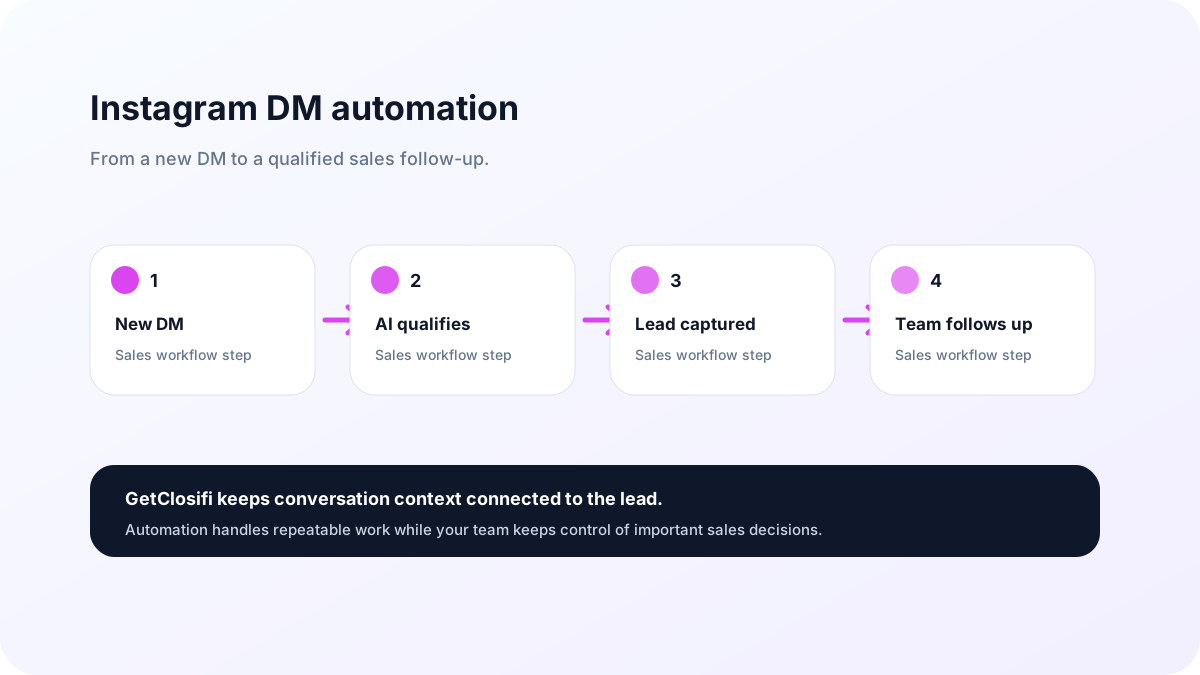
Instagram DM automation is a system that uses approved channel integrations to react to supported Instagram interactions and move them into a useful message workflow. A customer might comment PRICE on a Reel, message a business with a keyword, or respond to a Story. Depending on what the platform permits and the tool supports, an automation can deliver a link, ask a question, collect a requirement or route the conversation to a human.
Sending one automatic link is different from conducting a context-aware sales conversation. Teams handling product availability, appointment confirmation and quotations often need an approved knowledge source, consistent lead records and an easy way to take over.
For a channel-focused explanation, see GetClosifi's Instagram DM automation guide. For broader context, read What Is Sales Automation?
Instagram DM automation comparison: features and pricing (2026)
The prices below are vendor-advertised entry points reviewed on October 20, 2026. Monthly prices are used where available; annual discounts and taxes can change the amount. DM counts and active contacts are different billing units, so never compare them as if they mean the same thing.
| Tool | Public starting point | Primary use case | Important consideration |
|---|---|---|---|
| Manychat | Free; Essential $17/month monthly billing or $14/month on an annual plan | Visual Instagram engagement flows, comment-to-DM and multi-channel automation | New-plan Active Contact limits, plan availability by region and overages |
| ReplyKaro | Free; Starter ₹99/month in India or $3/month elsewhere | Keyword comment-to-DM, Story replies and creator/SMB workflows | Verify DM caps and feature allowances against current plan |
| CreatorFlow | Free 500 DMs/month; Pro $15/month; Growth $30/month | Instagram DM triggers and repeatable creator automations | DM allowance applies per workspace |
| LinkDM | Free 1,000 DMs/month; Pro $19/month | Reel/post-to-DM links, creator campaigns and inbox automation | Pro includes higher DM volume and advanced trigger features |
| GetClosifi | Starter ₹999/month on the GetClosifi website; 7-day trial advertised | AI-assisted inbound customer conversations, lead qualification and follow-up context | Business must connect its own supported Instagram account; capabilities depend on permissions, onboarding and plan |
Sources: Manychat Essential, ReplyKaro, CreatorFlow plans, LinkDM pricing, and GetClosifi pricing. Prices and features can change. Manychat legacy-account billing may differ from its 2026 plan model.
Using Manychat for your Instagram Reels?
See our Manychat Instagram automation step-by-step guide for comment-to-DM workflow setup and platform limitations.
Five tools explained: strengths and trade-offs
1. Manychat
Manychat is a well-known choice when you want a visual flow builder connecting Instagram engagement, automated conversations and additional marketing channels. Its 2026 plan model includes Free, Essential, Pro, Business and Advanced tiers. Essential supports common marketing flows, while higher tiers support broader channels and more advanced workflows.
Consider: “Active Contacts” are not the same as monthly DMs. Check the monthly allowance, overage fees and whether your existing account has migrated to newer pricing before comparing costs.
2. ReplyKaro
ReplyKaro emphasizes Instagram comment-to-DM, keyword triggers and Story automation. Its public page describes a free tier with 1,000 DMs per month and a ₹99 Indian Starter plan. That makes it worth considering for creators testing a low-cost comment-triggered link campaign.
Consider: Vendors describe quotas differently across feature pages; double-check the exact allowances, whether special triggers are included and how many accounts you need before upgrading. Self-reported performance and “zero ban risk” marketing should not be treated as guarantees.
3. CreatorFlow
CreatorFlow describes a permanent Free plan with 500 DMs/month, a $15/month Pro plan with 5,000 DMs/month per workspace, and a $30/month Growth plan with 10,000 DMs/month. It lists comment-to-DM, Story replies and keyword replies across its plans.
Consider: The DM cap is per workspace, not per Instagram account. For agencies managing several clients, account limits and shared workspace quotas deserve careful attention.
4. LinkDM
LinkDM offers a free entry point with 1,000 DMs per month and a $19/month Pro tier. Its pricing page lists post and Reel auto-replies, Story automations and inbox starters in the Free tier, with expanded automation, higher limits and multiple accounts on Pro.
Consider: Features such as comment auto-reply, lead generation and inbox automation vary by plan. A creator whose main goal is distributing links may have different requirements from a business needing ongoing lead management.
5. GetClosifi and Yug
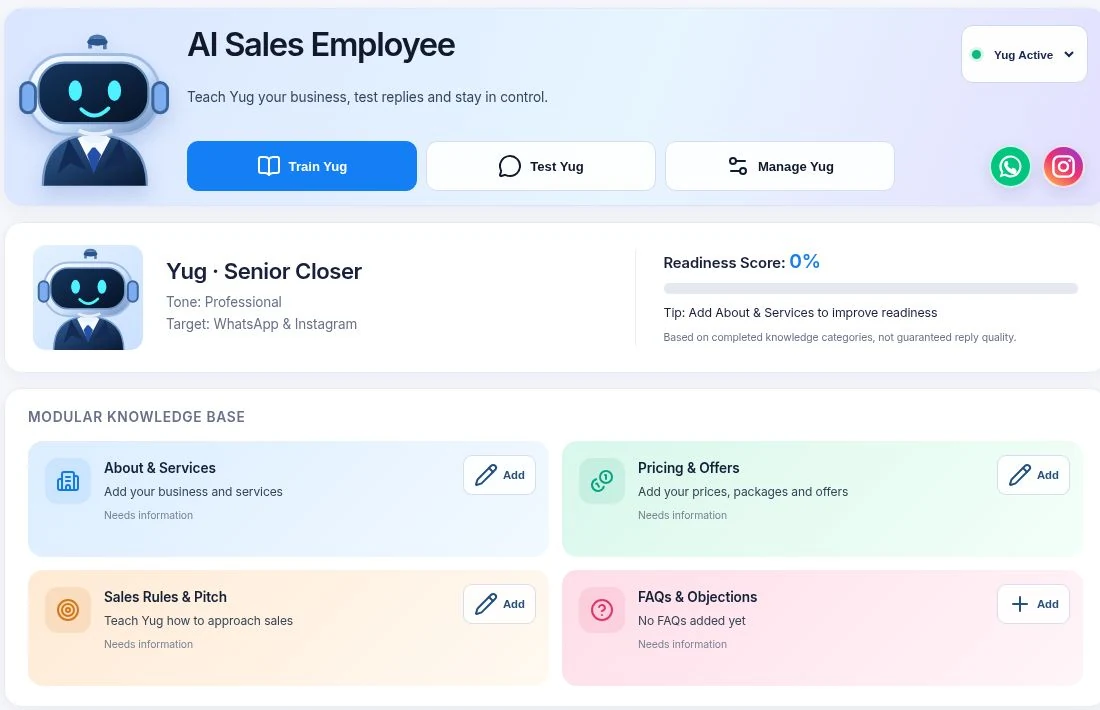
GetClosifi takes a business-oriented approach: its AI Sales Employee, Yug, is designed to use each company's approved business information to assist with inbound WhatsApp, Instagram and website conversations, qualification and follow-up context. Alex Business Copilot provides an owner-facing way to review available customer and business context.
Consider: It is not a substitute for every creator-style comment keyword feature in competing apps. The business must connect its own authorized accounts, and workflows depend on supported Meta permissions, product setup and the customer's plan.
Which Instagram automation tool should you choose?
Compare ReplyKaro, CreatorFlow, LinkDM and Manychat around keyword trigger flexibility, link delivery, free quotas and ease of setup.
Evaluate Manychat's paid channel coverage, account model and workflow builder against the channels you actually use.
Check whether GetClosifi's Yug workflow fits your inbound conversations, approved catalogue, qualification logic and human handoff needs.
Compare number of client workspaces, team roles, inbox permissions, usage caps and client data separation—not just entry-level price.
Checklist before connecting your Instagram account
- Make sure the account is eligible for the chosen official connection flow and permissions.
- Check support for the triggers you need: Reel comments, direct messages, Stories or ads.
- Confirm where leads are stored and whether you can review, export and delete customer data.
- Check who can edit automations, view conversations and take over sensitive replies.
- Test one real comment or DM from another account before announcing the automation publicly.
- Read the current billing basis: DMs, active contacts, channels, workspaces or seats.
Never ask customers for account passwords and do not rely on browser scraping to access private messages. Official APIs still have policy requirements, messaging windows, access permissions and rate limits. The allowed workflows can change.
Real examples of Instagram DM automation
Reel keyword → lead magnet link
A creator asks followers to comment “GUIDE”. A configured trigger sends a permitted DM with a requested link. This is usually a simple automation with little need for conversational AI.
Property enquiry → business lead
A property buyer asks about a budget and neighborhood. An AI-assisted system can ask clarifying questions, reference approved listings and surface useful context to the human agent. Availability and booking commitments still require confirmation.
Service enquiry → human follow-up
A salon receives a service request. The workflow gathers the requested service and preferred time, then routes it to staff rather than guaranteeing an appointment without checking availability.
Frequently asked questions
What is Instagram DM automation?
Instagram DM automation uses supported integrations to respond to permitted customer interactions, such as a DM keyword or comment, using a configured messaging workflow.
Which Instagram DM automation tools have free plans?
Manychat, ReplyKaro, CreatorFlow and LinkDM advertise free options, although contact limits, DM caps and available features differ. Check each vendor's current eligibility and limits.
Is Manychat free?
Manychat offers a Free plan with limits. Its 2026 paid plans include Essential and Pro tiers, with costs and availability depending on region, plan and active contacts.
Do I need an Instagram Professional account?
Official business messaging integrations typically require an eligible Instagram professional account and the required Meta permissions. Check the chosen provider's latest connection prerequisites.
What is the difference between comment-to-DM and AI sales conversations?
Comment-to-DM sends a configured message based on a supported engagement trigger. AI-assisted sales conversations may interpret customer context, collect lead details and suggest next steps within business rules.
Will Instagram automation guarantee sales or protect an account from restrictions?
No. Results depend on audience, offer, channel delivery and sales follow-through. Using approved integrations helps, but no tool can guarantee account safety or sales results.
Sources and update notes
Product prices and capabilities are summarized from vendors' public documentation as of October 20, 2026. We do not claim to have paid accounts or independent benchmarks for all tools. Reconfirm important details before purchase.
- Manychat Help: Essential plan
- Manychat Help: choosing a plan
- ReplyKaro: Instagram automation
- CreatorFlow: plans and pricing
- LinkDM: pricing
Looking beyond basic automated DMs?
Meet Yug, GetClosifi's AI Sales Employee, and explore inbound customer conversations, qualification and handoff options for your business.
Explore GetClosifi →