From a DM to a meeting-ready lead: the complete process
A conversational appointment setter can prepare a meeting request. A confirmed calendar booking is a separate operation that requires real availability and a supported scheduling workflow. This guide shows the difference so businesses do not mislead customers.
Follow these steps in order
Choose which enquiries deserve a meeting
Not every 'Hi' or 'price?' needs a sales call. Define practical eligibility: a real service need, the right location or customer type, enough context for the discussion and interest in talking to a person. Some enquiries can be answered completely in chat; let the customer choose.
What to check: A salesperson knows why this lead is meeting-ready rather than just seeing 'appointment requested'.
Capture the reason for the appointment
If a customer says 'Can someone show me the property?', clarify which property or area, their budget and what questions the visit should resolve. For a software demo, ask which workflow or integration they want to evaluate. Do not ask for the same detail twice.
What to check: The meeting purpose fits into one descriptive sentence.
Ask for preferred timing, not an invented slot
A prospect may prefer Sunday afternoon or Tuesday after 4 PM. Record that as a preference. The AI must not say 'Booked for Sunday 3 PM' unless a real connected calendar or authorized human has confirmed availability. Also clarify time zone when participants may be in different places.
What to check: The lead record distinguishes preferred time, offered time and confirmed time.
Confirm the contact method and consent
Check the person wants the team to contact them on the chosen channel. Where needed, ask which phone or email to use for a calendar invite. Do not collect unnecessary personal information or assume permission for unrelated marketing messages.
What to check: A staff member has one approved channel to send the next relevant response.
Send a context-rich handoff
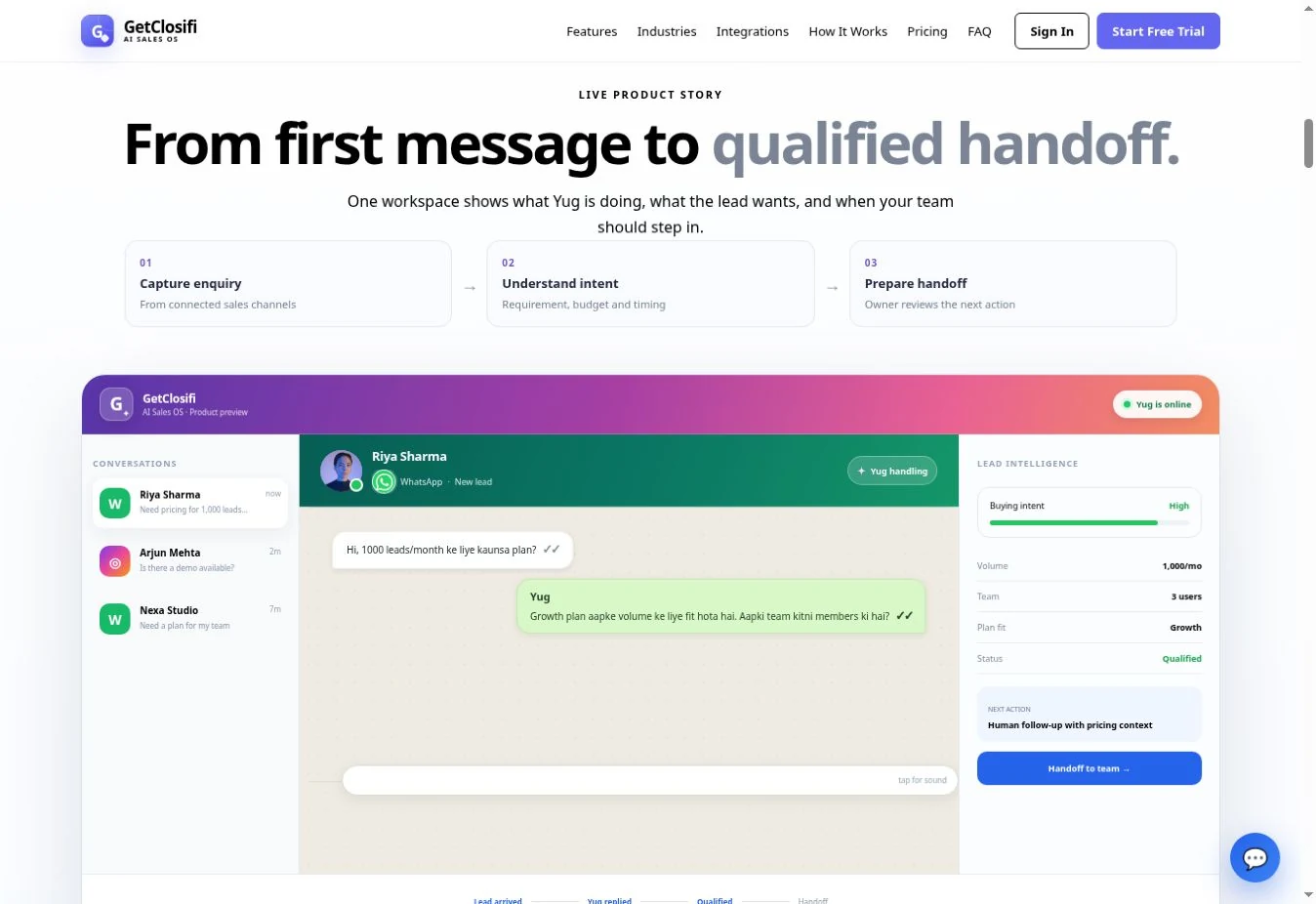
The owner should see the enquiry source, reason for meeting, qualification details, preferred time, contact path and any important unresolved issue. A human can then confirm a calendar slot and share accurate joining details or directions.
What to check: The prospect receives no false confirmation and the human sees an actionable summary.
Handle cancellations and no-shows as separate workflows
A cancellation or change of time should update the confirmed arrangement where that capability exists. A reminder must respect the channel's messaging and consent rules. If no calendar integration exists, give the business owner a clear manual follow-up task instead of implying automatic rescheduling.
What to check: Meeting status remains accurate: requested, offered, confirmed, rescheduled or cancelled.
Test the full process before promising 'automatic booking'
Try two customers choosing the same preferred time, a different time zone, an invalid contact, an urgent enquiry and someone who requests a person immediately. Verify actual scheduling behavior end to end if an external calendar is connected.
What to check: Marketing claims only describe booking actions that have been proven in the connected workflow.
Worked example: a prospective buyer requesting a site visit
Illustrative scenario for learning, not a screenshot of a real customer or proof of a measured result.
Can I visit a 2BHK in Vijay Nagar this Sunday?
I can note your Sunday preference. Are you looking for ready-to-move options, and what budget range should the property team check?
Ready-to-move, under ₹50 lakh. Afternoon would be best.
Noted: ready-to-move 2BHK in Vijay Nagar, up to ₹50 lakh, Sunday afternoon preferred. The property team needs to confirm both listing availability and a visit slot before any appointment is booked.
Problems to check before going live
A buyer asks whether a specific time is free
Without real availability data, record the preferred time and escalate; do not hallucinate an empty calendar slot.
Meetings have missing context
Define the minimum questions by meeting type and test the handoff summary before increasing automation.
The owner expects automatic calendar invitations
Confirm a working calendar integration and sending permissions first; a captured request alone cannot create an invitation.
Ready to test the workflow with your own business?
Prepare one accurate offer, one representative customer question and one clear human follow-up rule. Compare the actual response and handoff against these steps before paying for ads or migrating customers.
Check GetClosifi plans and current inclusions →What is an AI appointment setter?
An AI appointment setter is a conversational sales assistant that helps move interested prospects toward a call, meeting, demo or consultation. The most useful version does not simply push a calendar link. It first understands why the customer contacted the business and whether an appointment is the right next step.
GetClosifi supports this workflow inside inbound conversations so booking intent can be captured together with lead qualification and sales context.
Qualification should come before booking
Not every enquiry should immediately become a meeting. A short qualification step can help the team understand the requirement, urgency, budget or use case before spending human time on a call.
This is why an AI appointment setter works well with AI lead qualification and an AI SDR workflow.
Recognize appointment intent in natural conversation
A prospect may not say “book appointment” exactly. They might ask for a demo, request a callback, say they want to discuss pricing or ask when someone is available. A sales workflow should recognize those signals and prepare the next step.
The important information is the intent plus the conversation context that explains why the customer wants to speak with the team.
Useful details to collect before a meeting
Depending on the business, useful details can include name, contact information, requirement, preferred timing, budget range, location, company information or the specific topic the prospect wants to discuss.
Collect only what helps the meeting. Asking unnecessary questions creates friction and can reduce conversion.
AI appointment setting for WhatsApp and Instagram leads
Many appointment requests start in messaging channels rather than on a booking form. GetClosifi can connect WhatsApp automation and Instagram sales automation with qualification so the team receives a more useful lead.
If the prospect is not ready to book yet, lead follow-ups can help keep the opportunity active.
Where human control still matters
Humans should remain in control when scheduling requires exceptions, custom availability, negotiation, special requirements or sensitive decisions. AI can prepare the appointment-ready lead, but it should not invent availability or make commitments the business has not approved.
The safest workflow is clear: qualify, capture intent, preserve context and hand off when a person needs to decide.
Can an AI agent book sales calls in DMs?
An AI agent that books sales calls in DMs needs more than a conversational reply. It should first identify the right prospect, collect meeting preferences, check a real calendar integration and confirm only an available slot. Without verified calendar availability, the safe outcome is a meeting-ready lead for a person to confirm.
GetClosifi can help organize appointment intent from inbound WhatsApp and Instagram conversations, but businesses should not assume automatic calendar booking or guaranteed appointments without testing their configured workflow. See inbound AI SDR qualification and lead follow-up workflows for the steps before and after a meeting request.
AI appointment setter FAQ
Can AI book sales appointments automatically?
AI can identify booking intent, collect the necessary context and support the scheduling workflow. The exact booking action depends on the integrations and rules the business has configured.
Should every lead get a meeting?
No. Qualification helps make sure the team spends time on prospects that are relevant and ready for a human conversation.
Can this work with WhatsApp and Instagram?
Yes. GetClosifi focuses on inbound sales conversations from WhatsApp and Instagram, where meeting and demo requests often begin.
Can a human review the lead before confirming?
Yes. Human review is useful whenever availability, pricing, fit or another business decision needs judgment.